2D Local Co-Op Game - Group Project (Level & Game Designer)
Production Details:
- Made in 8 Weeks (Alongside assignments with other courses.)
- Unity Engine
Team of 3 Project
Personal Responsibilities:
- Level Design
- Game Design
- C# Programming
- 2D Assets Artist
About the game:
Terrorists have taken over a high-rise building and captured the company’s employees as hostages. Players take on the role of an elite SWAT team, starting from the top floor and clearing each level to rescue everyone inside.
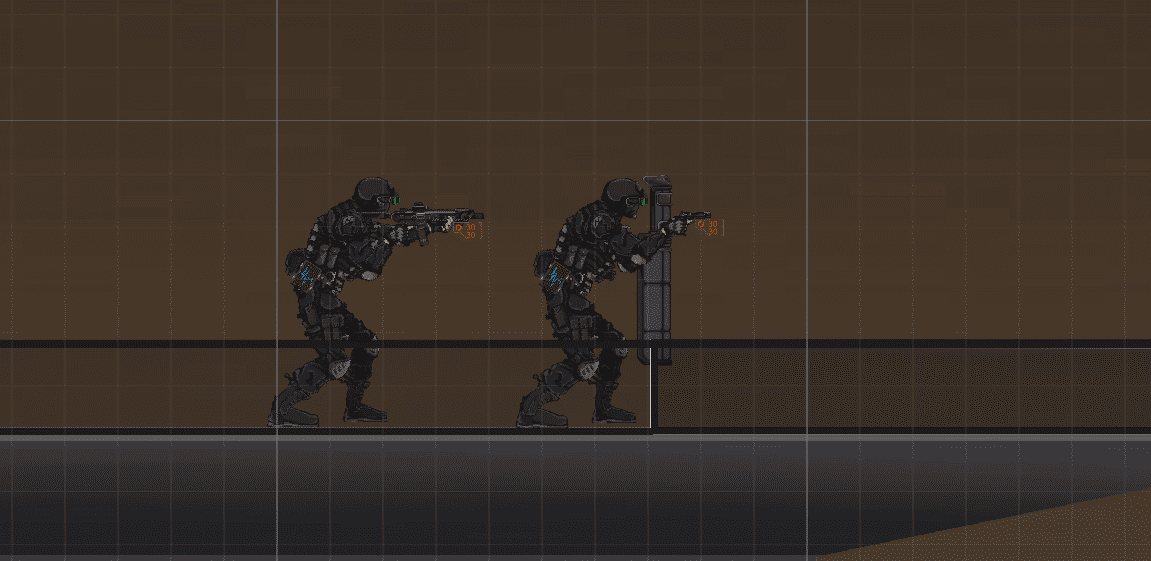
The game is designed for two-player co-op. One player acts as the shield operator, focusing on defense, blocking damage, and drawing enemy attention. The other plays the firepower operator, responsible for taking out enemies with precision.
Design Goals:
- Emphasise teamwork between two players sharing one screen by assigning asymmetric roles and weapons, creating a sense of mutual reliance.
- Use the combination of shield and firepower roles to encourage real-time tactical communication and positioning.
- Limit vision through a 2D side-scrolling view to create uncertainty in exploration and information control, building tension.
- Offer multiple breaching options (explosives, flashbangs, manual entry) to let players choose different tactics and increase interactivity.
Design Idea:
At the start of the project, we were tasked with making a 2D local co-op game with Unity. With the creative freedom in terms of theme and gameplay, our team decided to create a side-scrolling shooter game that focused on tactical cooperation.
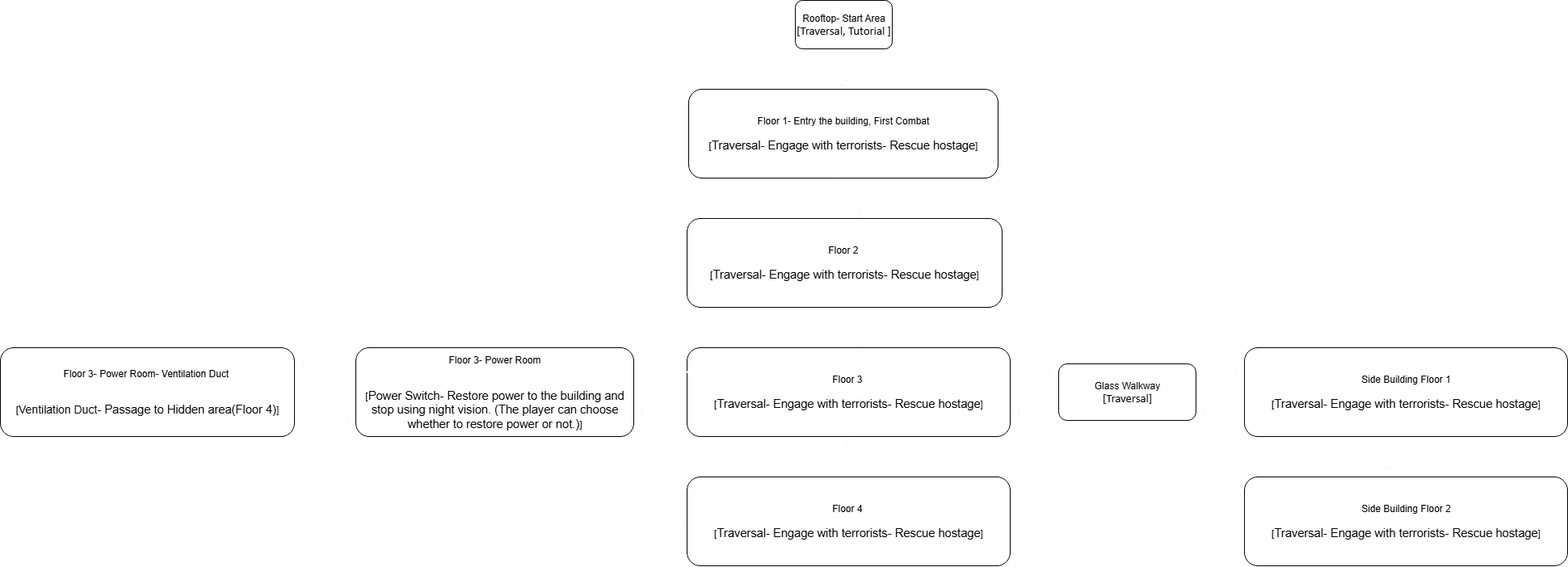
We drew inspiration from games like Rainbow Six, SWAT, and Door Kickers, which we were all playing at the time. The core gameplay loop is built around three phases: Traversal – Engage with Terrorists – Rescue Hostages.
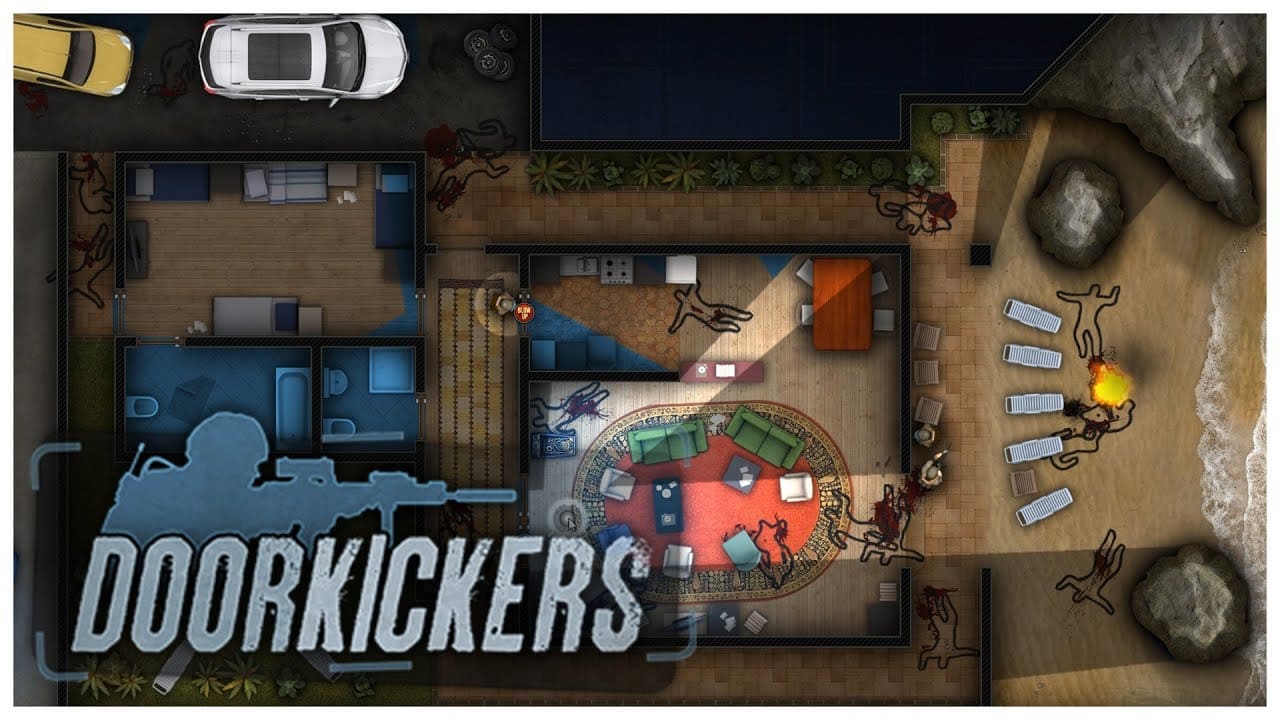
* Games we referenced.
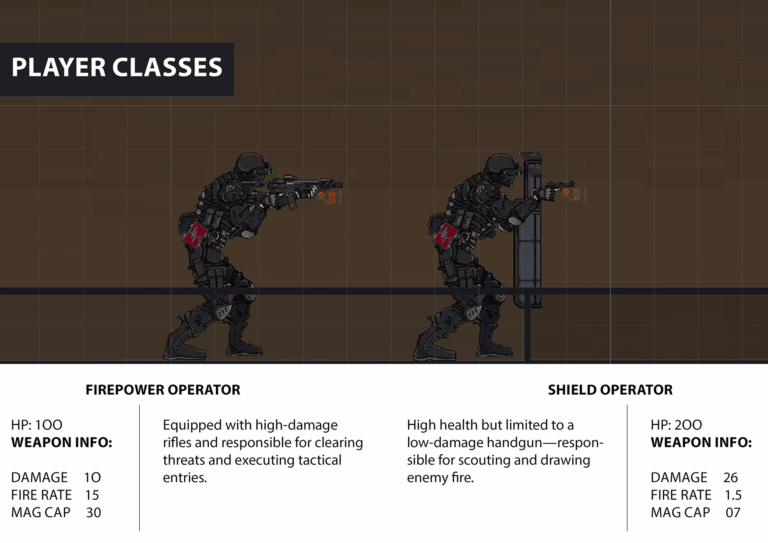
To strengthen teamwork and encourage role specialization, we designed an asymmetric class system. One player takes on the role of a shield operator—with high health but limited to a low-damage handgun—responsible for scouting and drawing enemy fire. The other plays as the firepower operator, equipped with high-damage rifles and responsible for clearing threats and executing tactical entries. Progression and rescue require both players to work closely together, highlighting the core cooperative experience.
In the early stages, we also designed a loadout system that allowed players to preview the map and choose their gear before entering a level. We created a wide variety of gun assets and built a weapon selection UI to support this feature. However, as development progressed, we realized that this system introduced heavy resource and technical overhead. Each weapon needed its own rig and animation set, which became a significant workload. We also ran into several technical challenges when trying to dynamically load player-selected weapons and implement their behaviours via C# scripting.
Given our timeline and team size, we made the tough call to drop the loadout system and instead focus on polishing the core gameplay and level design. While it was disappointing to cut the feature, the decision helped us stay on track, prioritize key mechanics, and avoid scope creep.
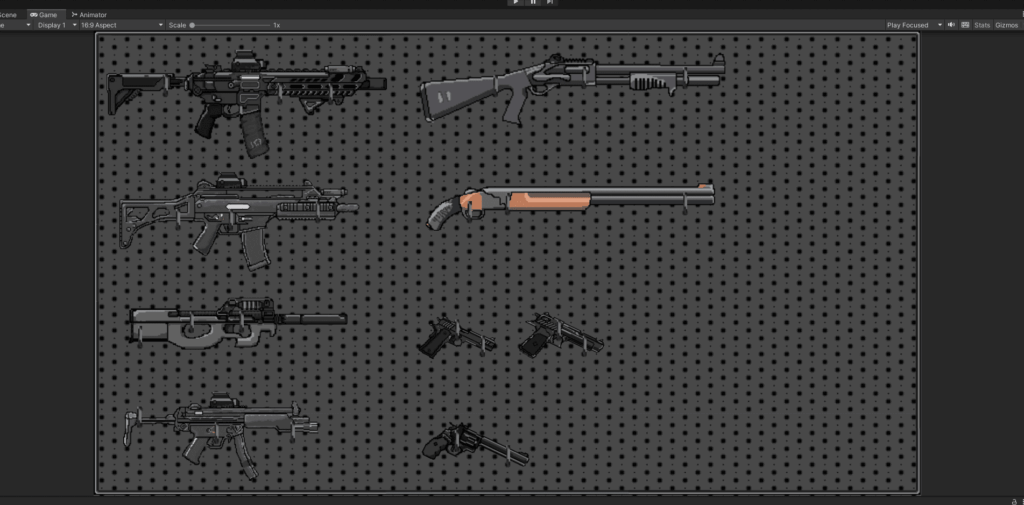
* A screenshot of removed loadout system menu
Assets Making:
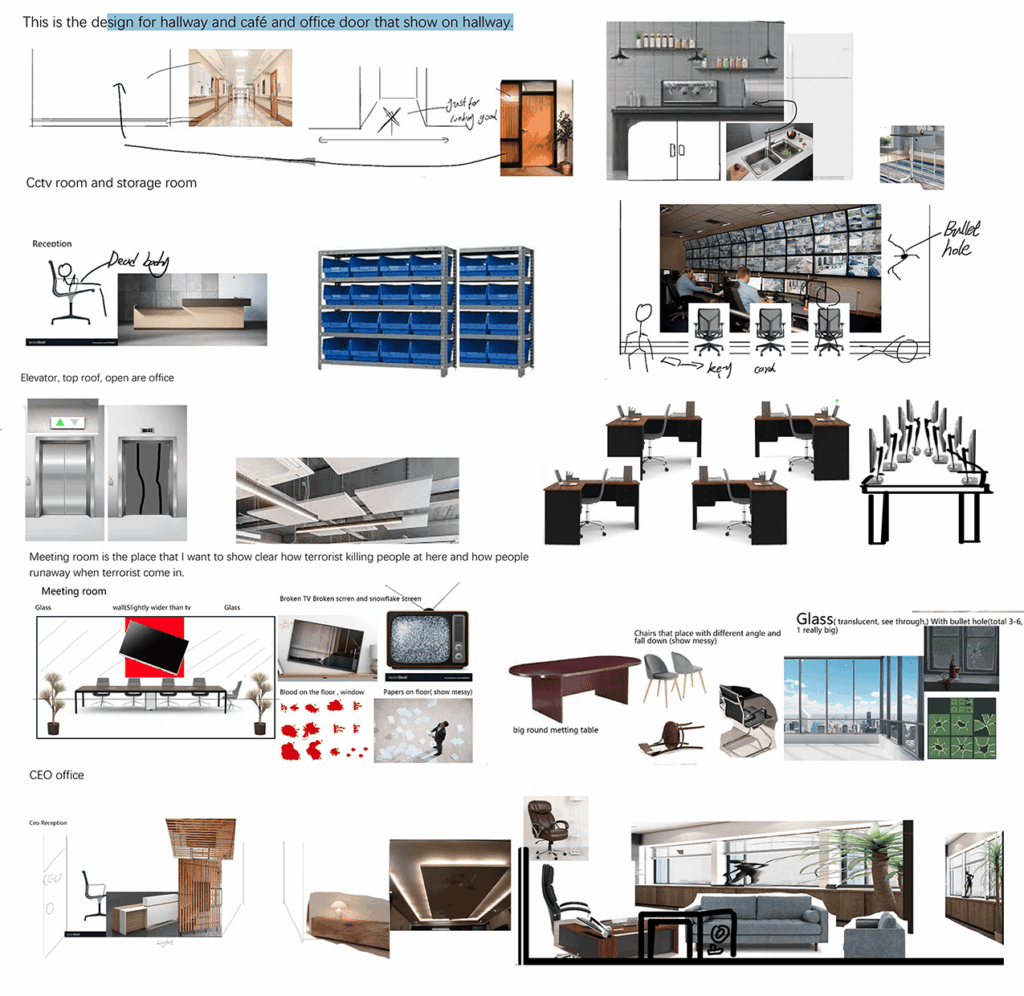
During the pixel art production phase, I was mainly responsible for environment concept design and overall planning. While the two other team members handled all the pixel asset creation, I led the early-stage design of each level’s spatial layout—defining which types of spaces should appear (e.g., open-plan offices, meeting rooms) and identifying the key props needed for each area.
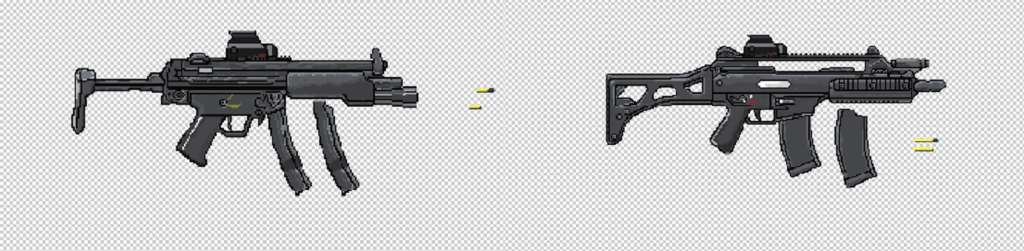
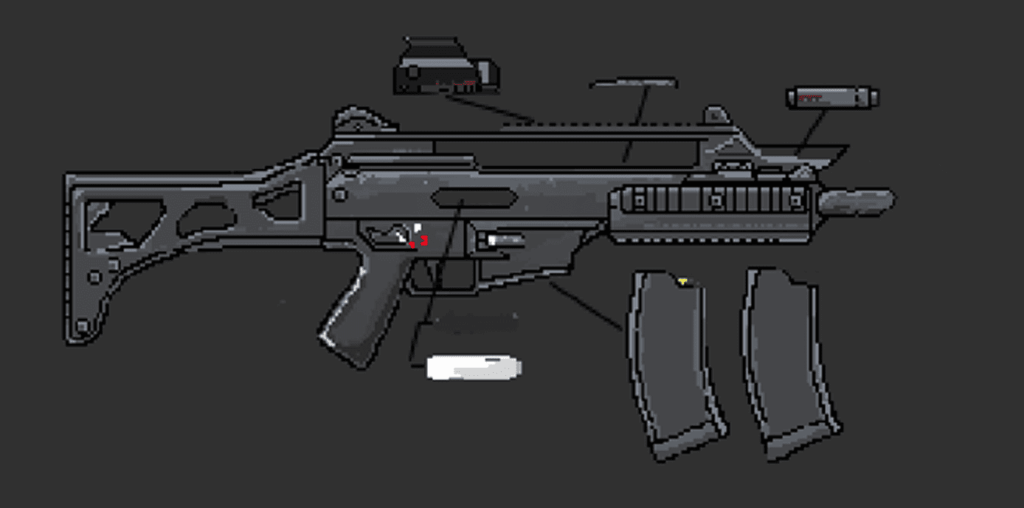
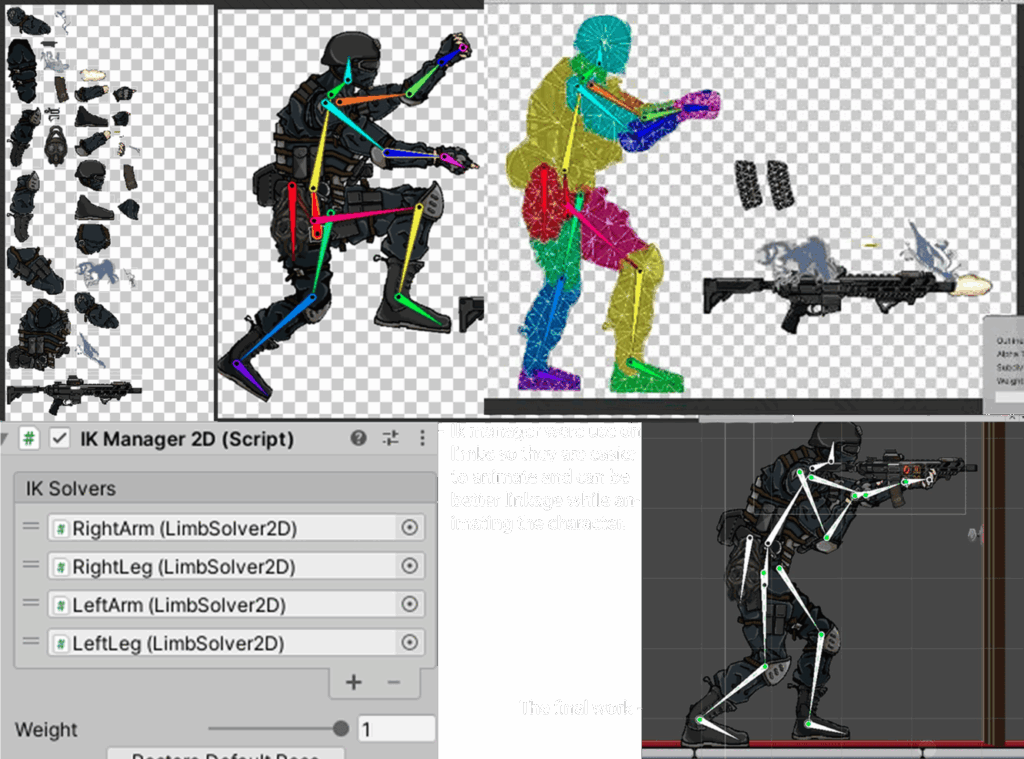
* Each weapon was carefully separated into layers in Photoshop according to its unique structure to ensure the gun is animation-ready. For example, movable parts such as the shell ejector window and magazine were drawn individually and placed on separate layers to allow for proper animation during firing or reloading sequences.
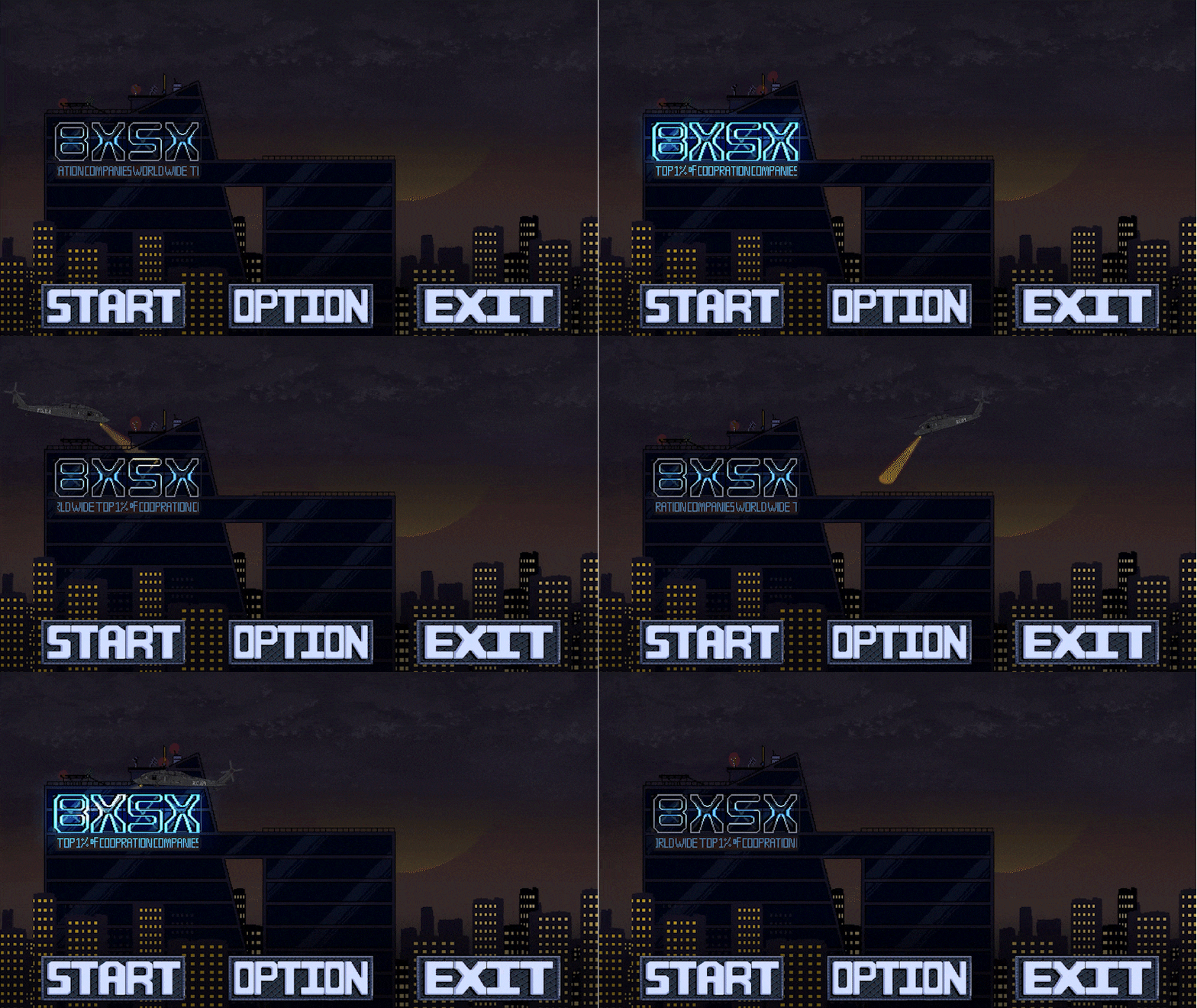
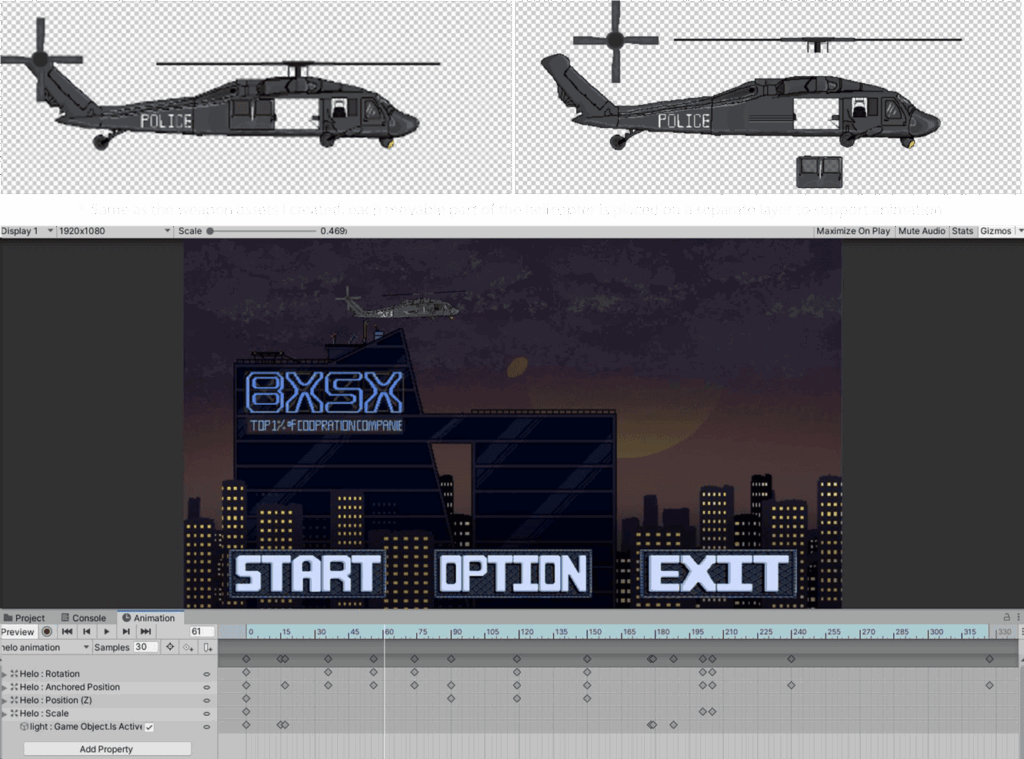
In terms of asset creation, I personally designed two different guns then drew the helicopter featured in the main menu, including its full animation. This helicopter menu animation combines layered parallax and frame-by-frame animation for a dynamic visual effect. Also, I rigged and animated all the animations for the characters and weapons inside Unity’s Sprite Editor and animation tool.
Level Design:
We were aimed to create a freely explorable map structure built around a “rescue the hostages” objective to enhance gameplay engagement. Players can track the number of hostages they’ve saved in real time, which adds a sense of progress and motivates exploration.
Based on this objective, the level is set within an office building featuring a multi-storey structure. Interactive elevators are placed between floors to support free vertical traversal. Each floor includes two elevator shafts—one leading upward and the other downward—ensuring flexible navigation and controlled pacing throughout the player’s exploration.
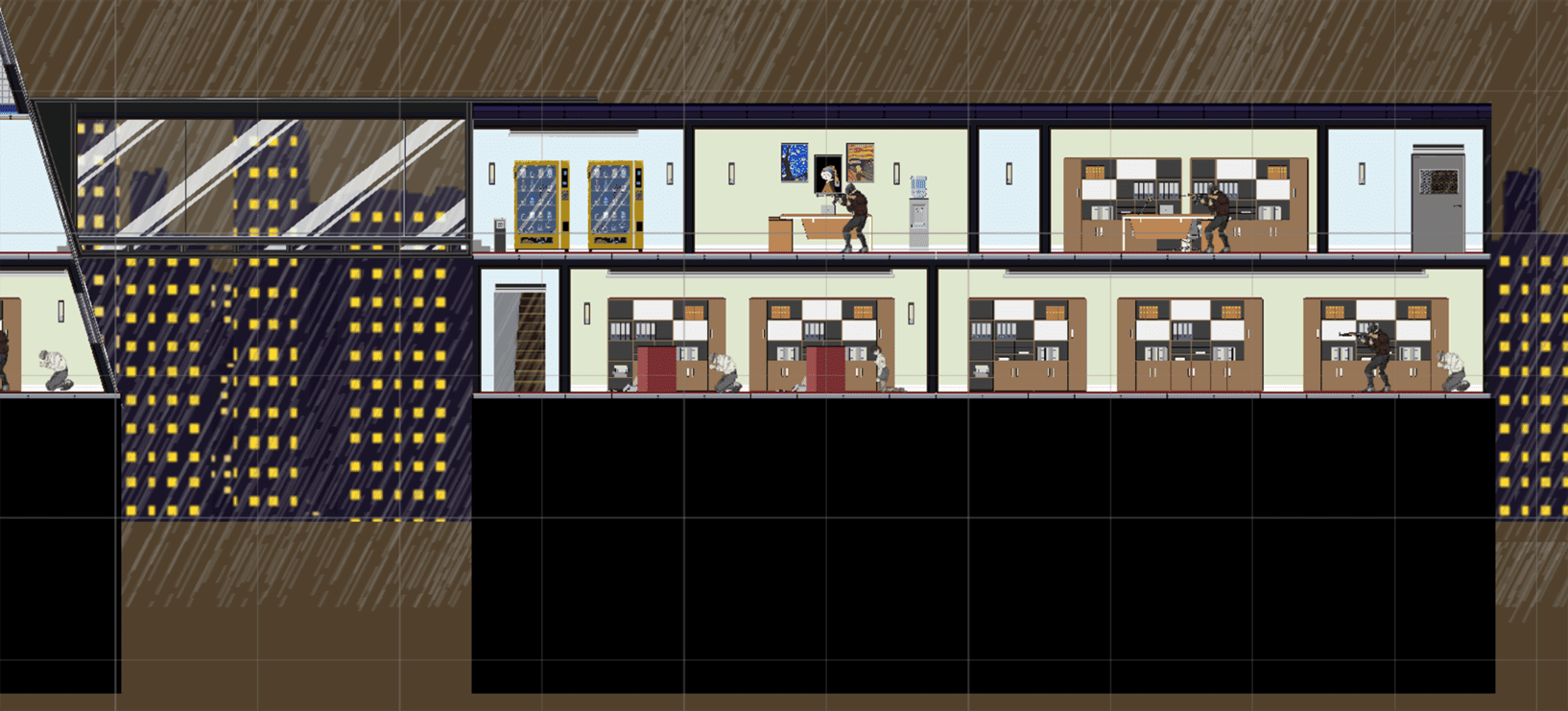
To expand the horizontal movement, we extended the third floor by adding a new connected building, linked to the main structure via a glass corridor. This offers players more route options and strategic variety during the exploration.
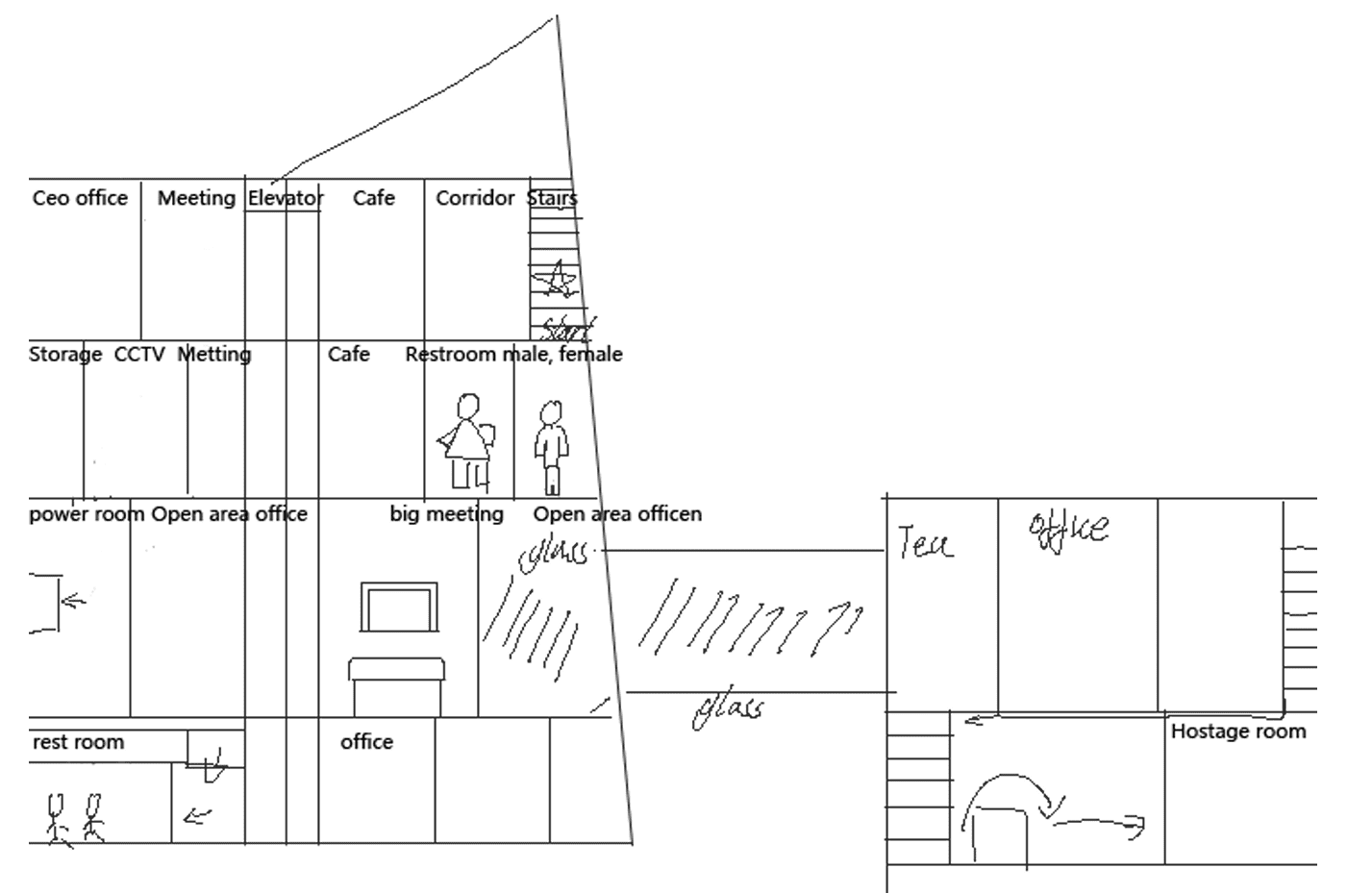
* This is the first draft of the hand-drawn level structure map.
The fourth floor is set up as a hidden area, inaccessible through elevator. Players need to find a ventilation shaft on the far left of the third floor to reach it. This secret zone contains extra hostages, rewarding deeper exploration and offering a greater sense of achievement for completionists. (More information See Game mechanics – Vent System(Entrance of the hidden area))
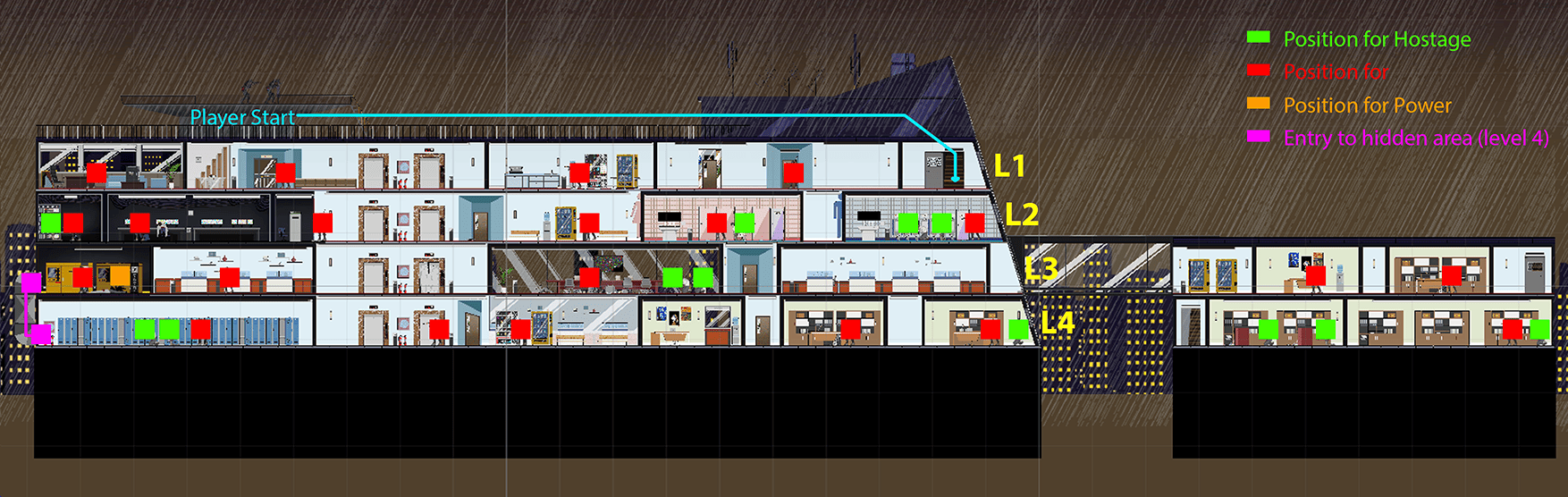
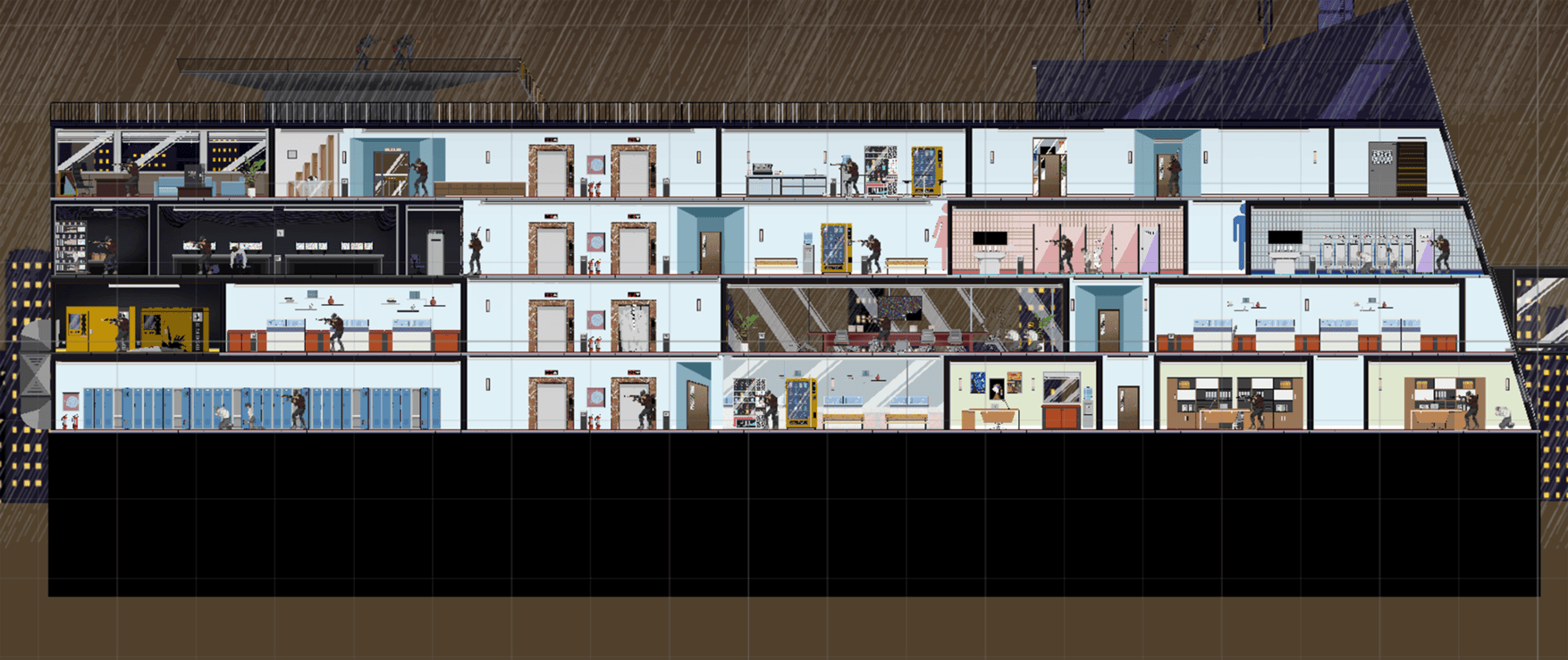
* Screenshot of the full level
Navigation Design:
Since this level uses an Open World structure, our navigation design focuses heavily on wayfinding—helping players understand where they are and stay oriented.
As players must use elevators to move between floors, allowing elevators divide the level into distinct districts. Neutrally reduces the cognitive load, letting players focus on one floor at a time without feeling overwhelmed. Because the elevators are always placed in the same central location on each floor, they serve as consistent spatial anchors. Players can use it as reference point to build a mental map and navigate with more confidence.
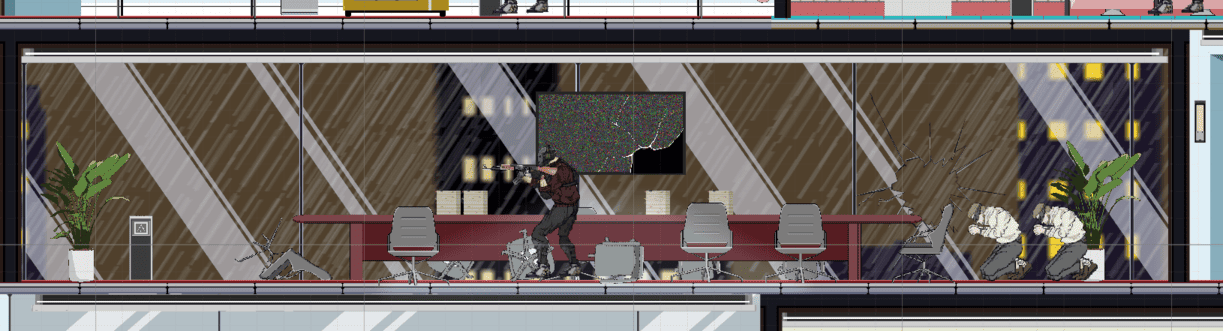
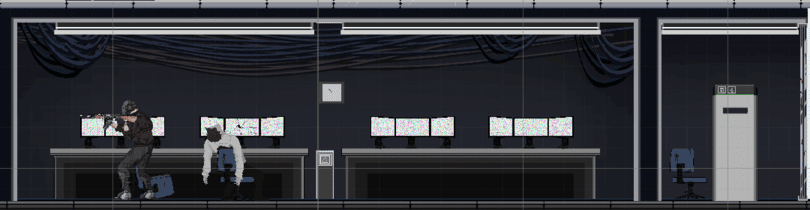
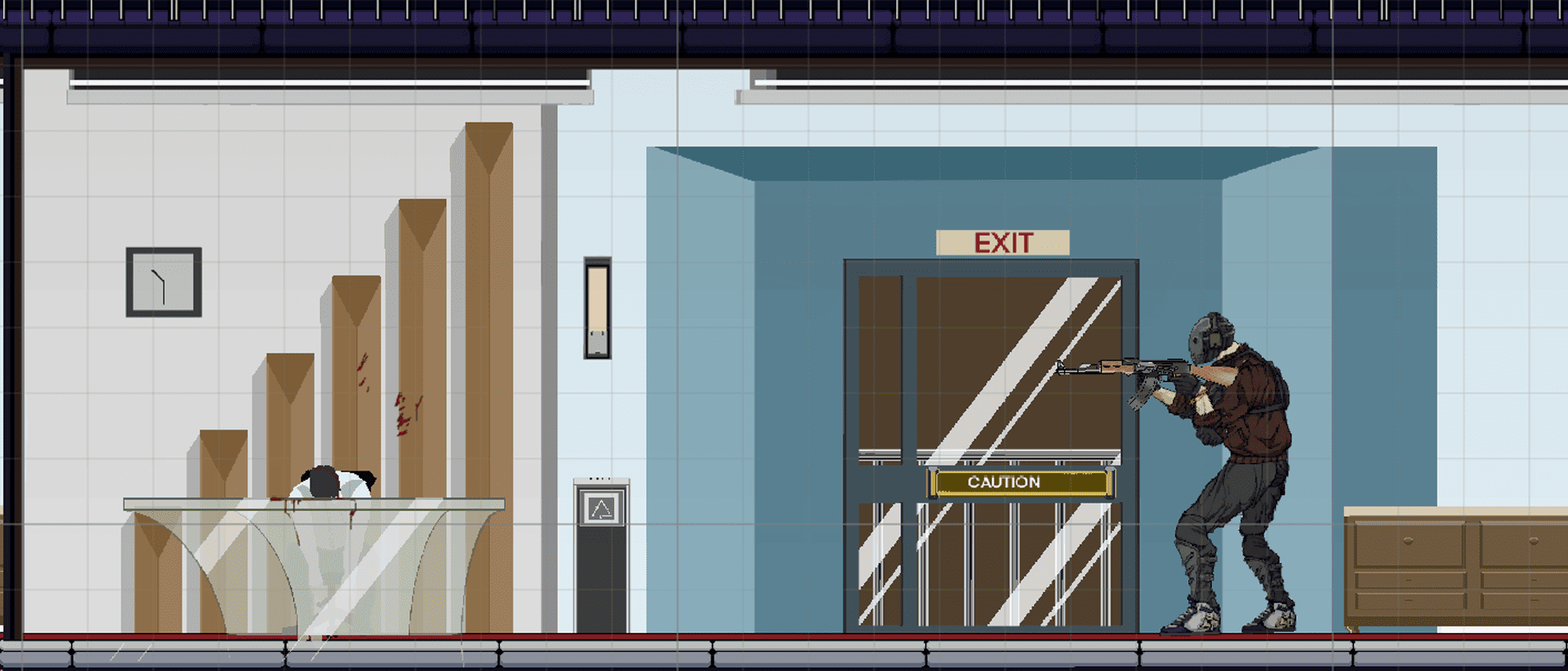
Each floor also contains rooms with unique visual styles or functions, acting as landmarks or points of interest (POI) to strengthen spatial memory. For example, the second floor includes a CCTV room filled with corpse, while the third floor has a meeting room with large glass windows. These visually distinct and narratively rich areas help players recognize where they are during free exploration and reinforce their sense of place.
* The CCTV Room
* The Meeting Room
Game Beats:
Game Mechanics:
Fog of War:
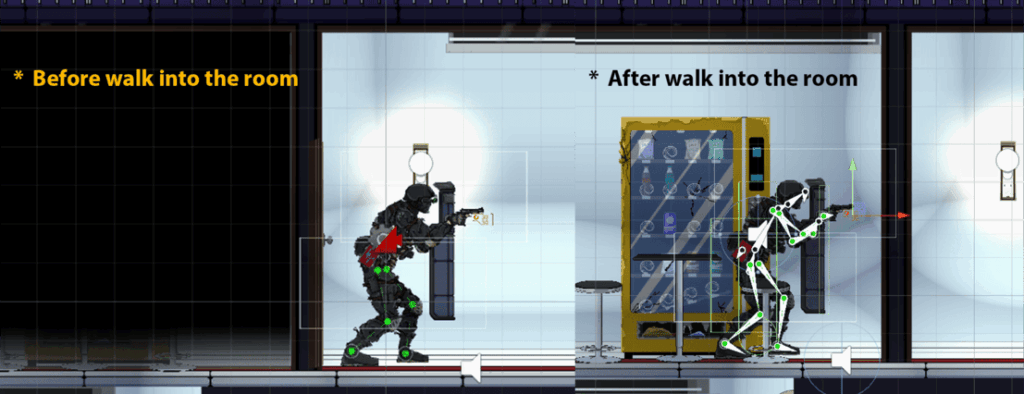
To enhance tension and uncertainty during exploration, we implemented a simplified Fog of War system. Each room contains a nearly black, semi-transparent mask sprite that blocks visibility. These masks are active by default at the start of the game. When a player opens a door, the corresponding room’s mask is disabled at same time, revealing its inside contents.
Player Character:
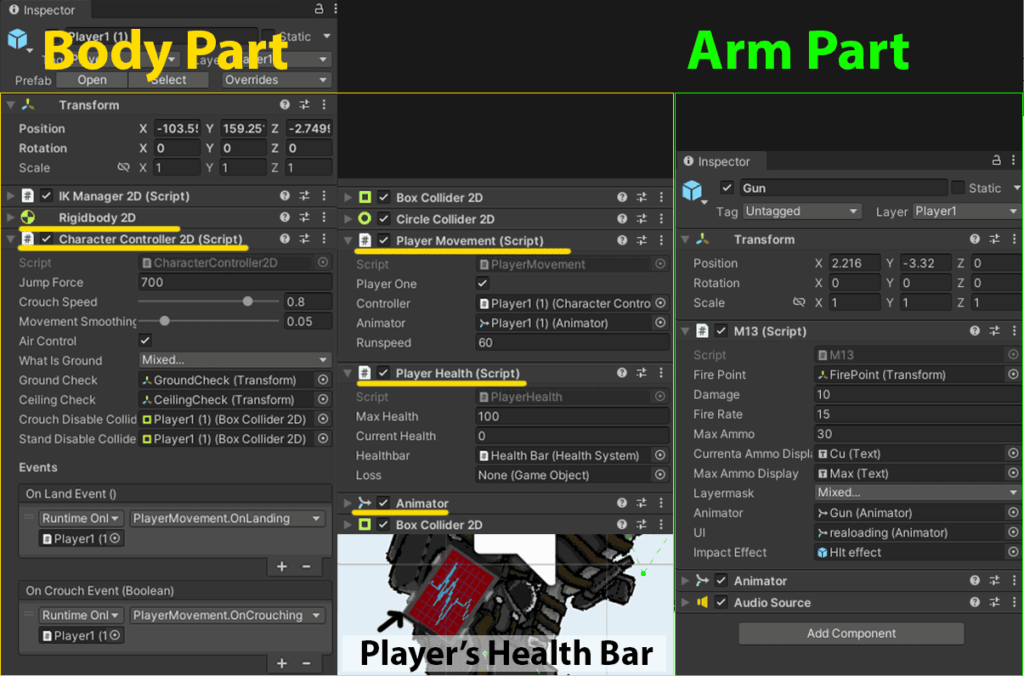
The player character is split into two parts: the body and the gun-wielding arm, each with different scripts.
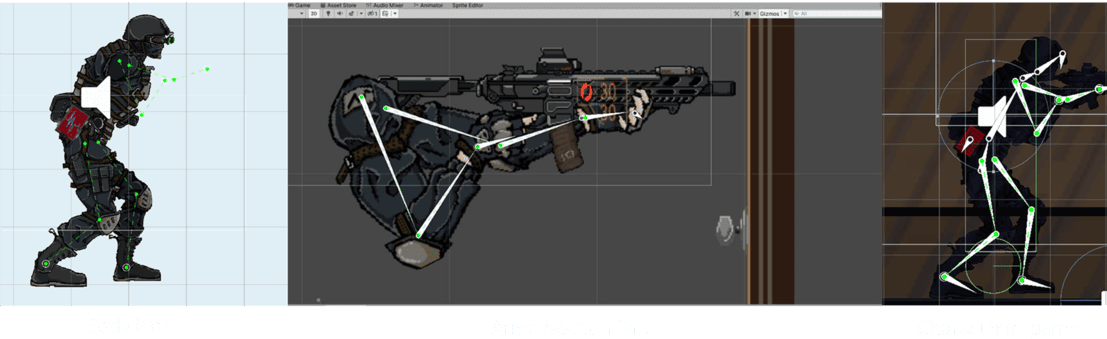
- Body: Includes a Rigidbody2D, BoxCollider, and CircleCollider, used by the CharacterController2D and PlayerMovement scripts. These handle movement, crouching, and the player’s hitbox (jumping was later scrapped but remains in code). The health system is also attached to the body and updates a UI tablet on the player’s waist to reflect current HP.
- Arm: Handles all weapon-related properties. Each weapon is a script attached to the arm, including bullet spawn points, damage, fire rate, ammo count, visual/audio feedback, and animations. Ammo stats are synced to the UI next to the weapon display.
To maintain formation, the shield operator is always positioned in front of the firepower operator. To enforce this, we added a screen-sized, impassable Collider to the shield operator that prevents the other player from moving ahead—ensuring coordination and visibility.
Friendly Fire System
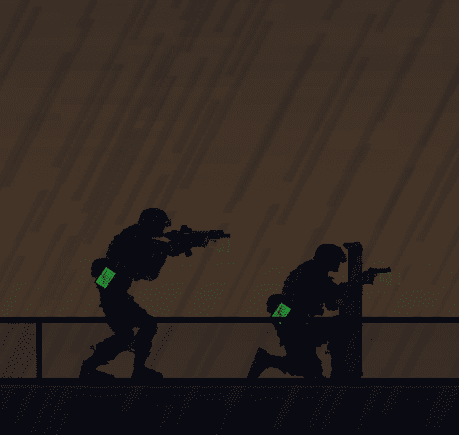
Late in development, we introduced a friendly fire mechanic to reinforce the game’s cooperative aspect. This encourages players to avoid hitting each other during combat. The intended strategy is for the shield operator to crouch while the firepower operator stands and shoots. This setup naturally reinforces their roles and forms the foundation of the combat loop:
Spot enemies → shield operator crouches to block incoming fire and avoid friendly hits → firepower operator takes the shot from behind.
Enemy Character:
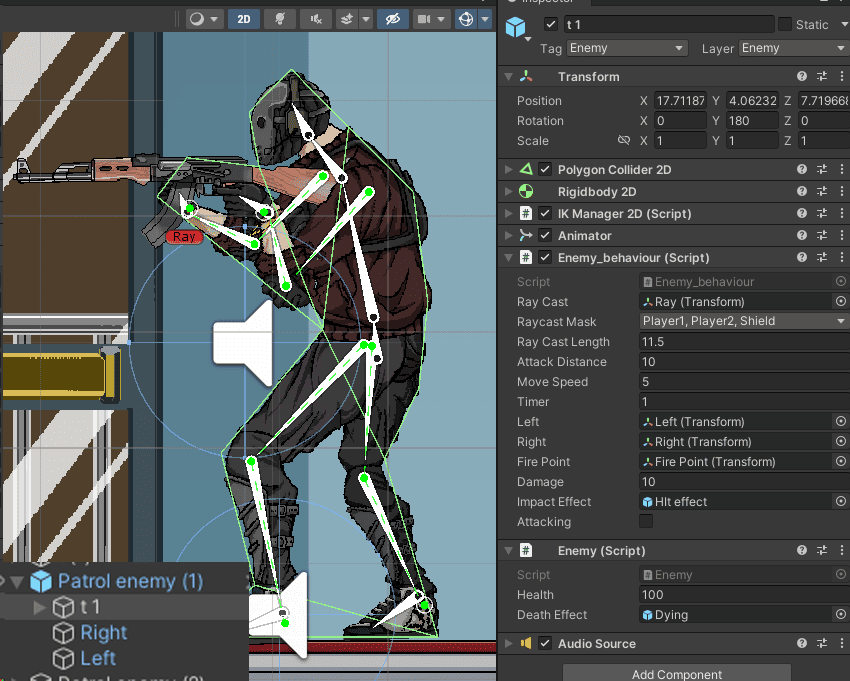
Enemy sprites are not split into parts; they use a PolygonCollider2D as the hitbox and Rigidbody2D for physics-based movement and collisions.
Their behaviour is controlled via the Enemy_Behaviour script, which uses raycasts from child objects to switch between patrolling and attacking states. When a player enters detection range (defined by Raycast Length), the enemy attacks. If the player moves out of sight, they resume patrolling.
Patrol paths are set manually using Left and Right child objects. Enemies start by moving toward the Left point, then continue patrolling between the two.
Weapon properties (range, fire rate, damage, etc.) and VFX like muzzle flashes are handled within the Enemy_Behaviour script. Health is managed separately in the Enemy script.
Tactical Breaching:
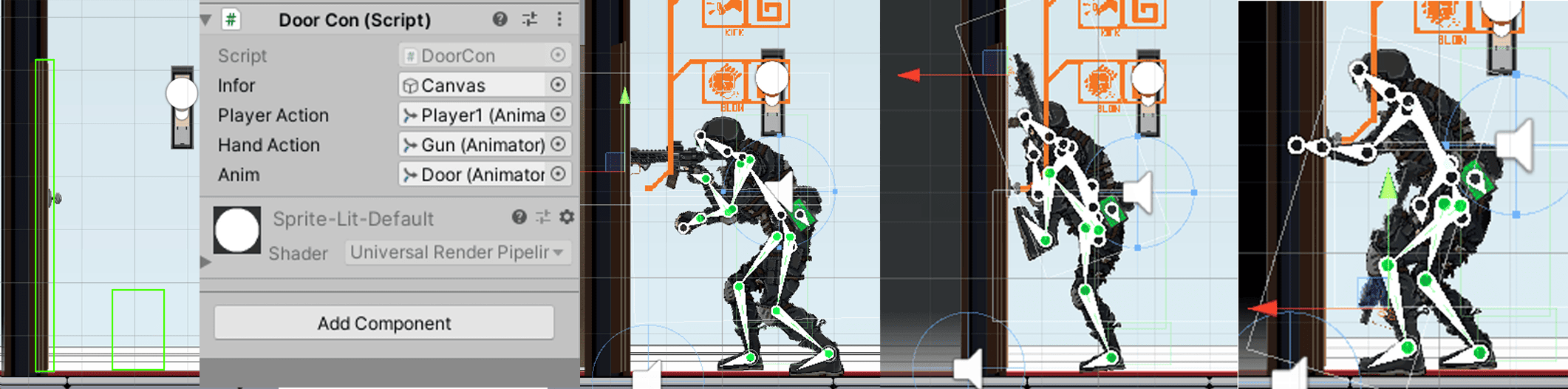
A BoxCollider is in use to check if a player is in front of a door and shows interaction options (open, kick, breach). When a choice is made, all connected Animator components will play the relevant animations. If breached, the door sprite switches to a damaged version.
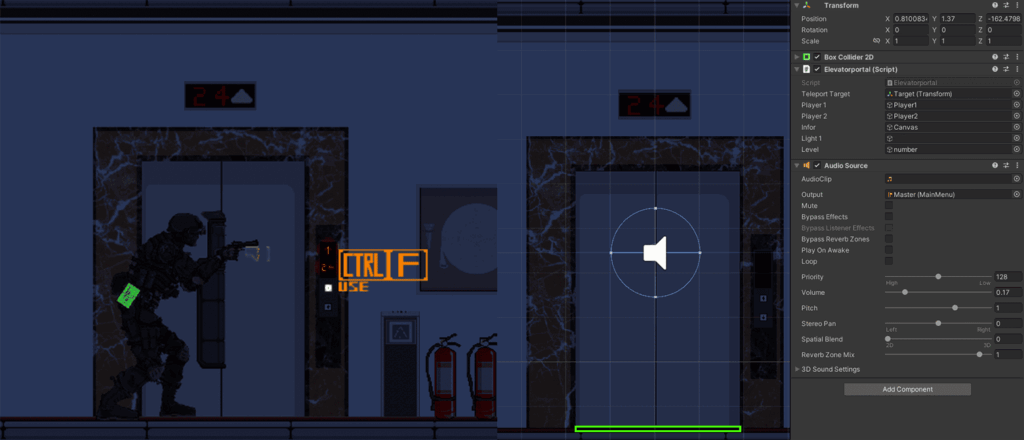
Elevator System:
Supports vertical movement between floors. Players entering an elevator trigger a prompt via BoxCollider, allowing them to choose a destination floor and teleport accordingly.
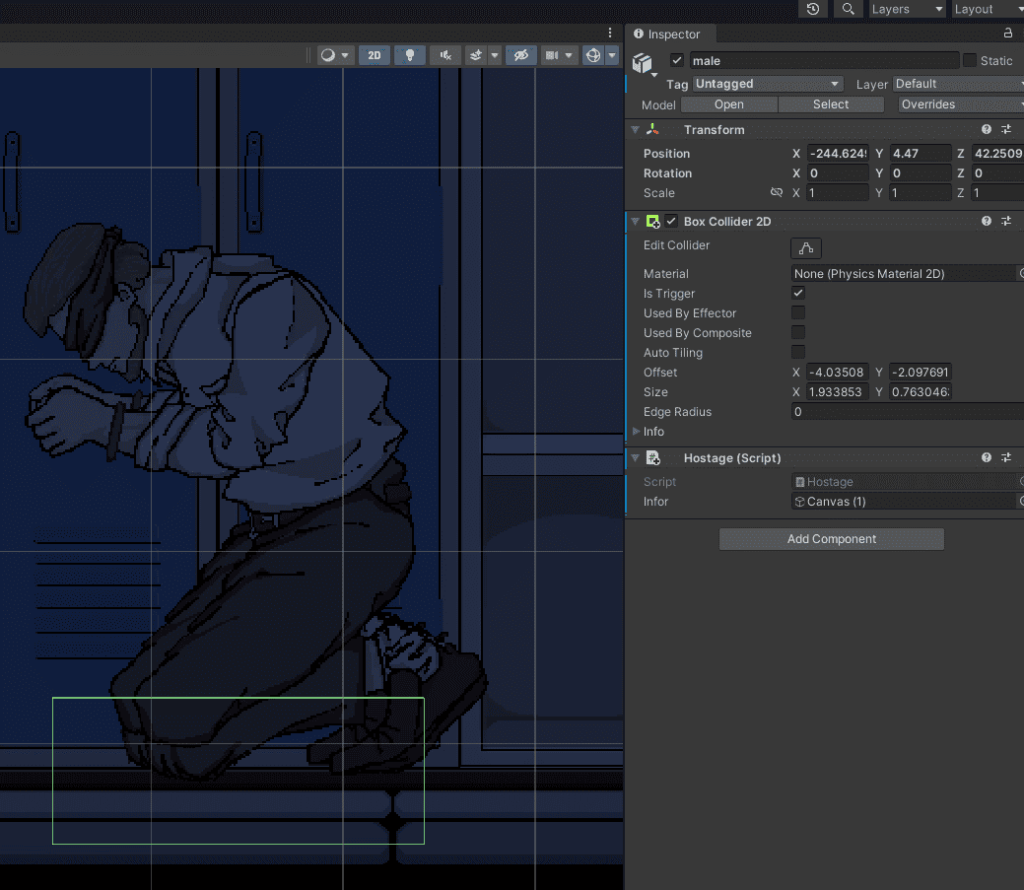
Hostage System: A modular script that can be attached to hostage objects in the level. When the player overlaps with hostage’s BoxCollider, the hostage is removed and the rescue count in the UI updates accordingly.
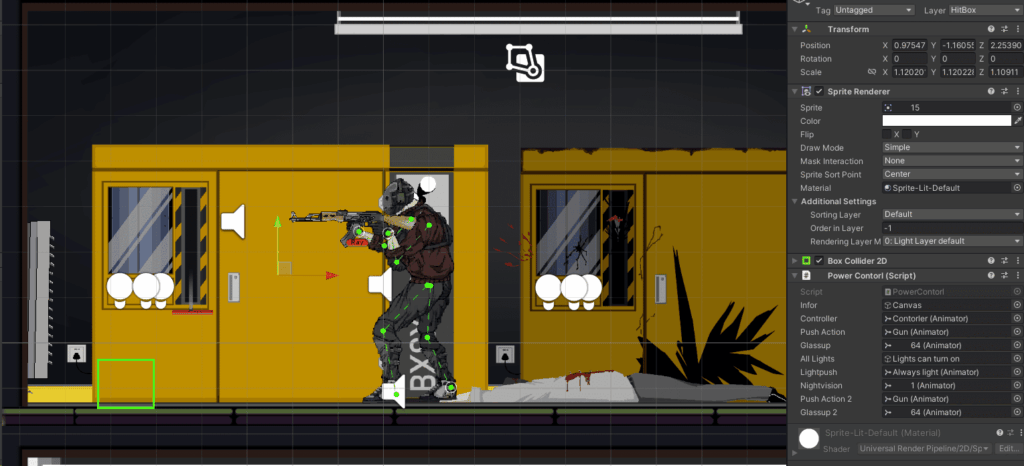
Power Restoration:
As shown in the level screenshot, a power room is placed on the left side of the third floor. When the player interacts with the power lever inside, the building’s electricity is restored, lights are added to the scene, and the night visione effect will turned off.
This system works similarly to the Tactical Breaching mechanic. Once the player presses the interact key, all related animators play the power restoration(Power supply) and night vision shutdown(Player Character) animations, and dynamic lighting is added to the level.
Vent System(Entrance of the hidden area):
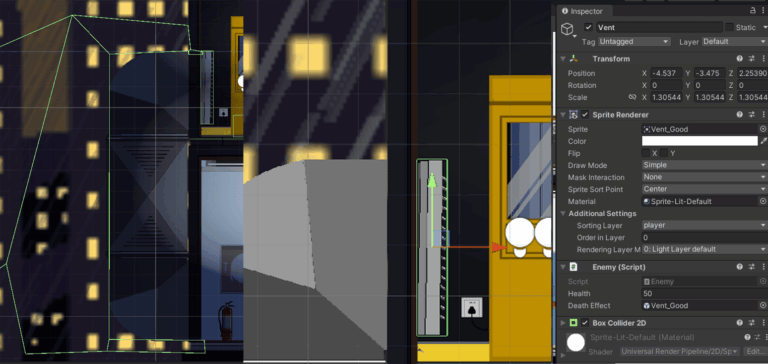
The ventilation duct serves as the entrance to a hidden area within the level. By adding a box collider to the duct cover and applying an enemy script to it, it becomes destructible—allowing the player to shoot on it. Once the cover takes 50 damage, it will automatically break, revealing a path leading downward. (More information in the Level Design section.) This downward path features a complex collider setup that causes the player to fall naturally upon entry, arriving at the fourth floor(Hidden Area).